Drums Maker: Drum simulator
TPVappsMusic
4.333.00 Reviews
- Version
- 4.9
- Installs
- 1.00M
- Age Rating
- Everyone
Screenshots
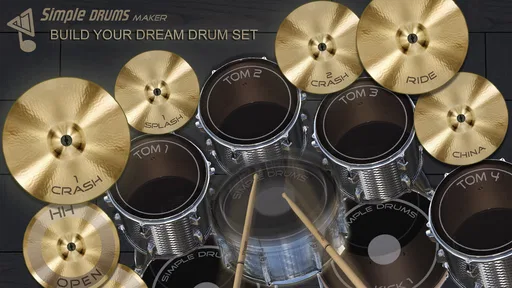
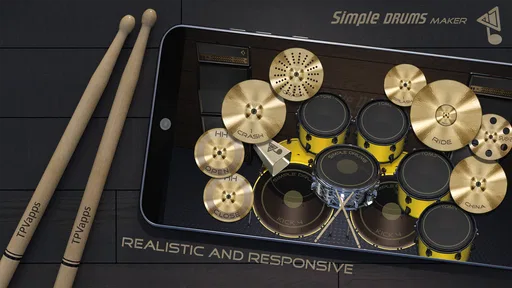
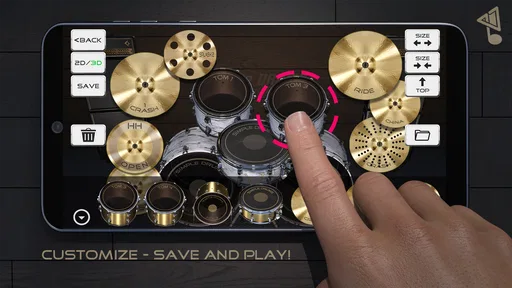
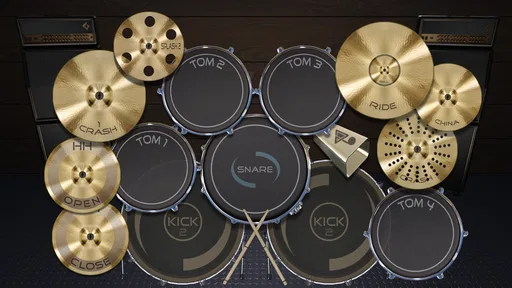
Our Review of Drums Maker: Drum simulator
 Analysis by Appyee
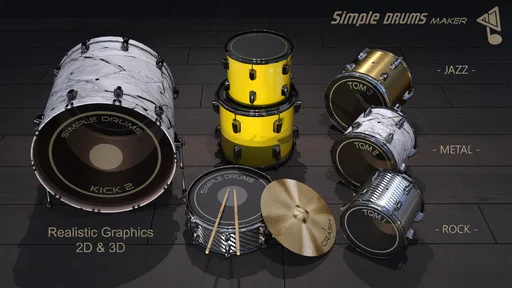
I opened Drums Maker: Drum simulator expecting a quick way to tap through a few drum sounds, and that is exactly where its appeal begins. It is a free music game from TPVapps that lets me build a playable drum set on my phone and experiment with high-quality sounds without needing a physical kit. The idea is simple, but it feels more satisfying than a basic button-mashing toy because the screen becomes an immediate little practice surface.
My first impression was that this is best understood as a casual rhythm playground rather than a complete drumming course. I can use it for a few minutes, test a beat, imitate a rhythm I have heard, or simply make noise while waiting for something. That narrow focus is also its strength: there is very little to learn before I can start playing. Whether it deserves a permanent place on my phone depends on how often I want that kind of quick musical interaction after the first week of novelty.
The first week: quick fun with a low learning curve
The opening sessions are the strongest part of the experience. I do not have to understand music theory, configure a complicated setup, or own extra equipment. I can place the phone in front of me and begin tapping. The virtual kit turns ordinary screen touches into a more playful activity, and the sound quality helps the result feel less disposable than a collection of flat electronic buttons.
That immediacy makes it useful for several kinds of users. A beginner can explore the difference between a steady pulse and a more scattered pattern. Someone who already plays drums can use it as a tiny sketchpad for ideas. I also found it suitable for children who want to experiment with rhythm, especially because the age rating is Everyone. It is not a substitute for an acoustic or electronic kit, but it gives a curious newcomer a harmless first contact with the basic idea of coordinating hands and timing.
A practical first-week exercise is to begin with one repeated beat instead of trying to use every part of the set at once. I tap a steady low sound, add a regular higher accent, and only then introduce extra hits. This makes the app more useful than random tapping because I can hear how each layer changes the groove. It also exposes one of the central trade-offs: the game is easy to start, but getting a pattern to sound intentional still requires patience and controlled timing.
The phone itself affects the experience more than I expected. A larger display gives my fingers more room and makes it easier to separate nearby parts of the kit. On a smaller phone, I have to tap carefully, particularly when I try to play quickly. Headphones can make the sounds easier to distinguish in a noisy room, while the phone speaker is more convenient when I am only testing a short idea. I would not treat either setup as a professional monitoring solution, but choosing the right environment makes casual playing less frustrating.
What the game is really good for
The most convincing use case is a short, repeatable rhythm break. Imagine I am waiting for a train or taking a few minutes away from work. I can open the game, play a simple pattern, and close it without committing to a long session. That makes it more approachable than a full music-production app, where menus, tracks, instruments, and editing tools can turn a quick idea into a project.
It can also help someone decide whether rhythmic practice interests them before spending money on lessons or hardware. I would use it to test basic coordination: can I maintain a steady pulse with one finger while adding accents with another? If that feels enjoyable, a physical practice pad or a more structured learning tool may be worth considering later. If the exercise feels repetitive immediately, buying a full kit probably will not solve the underlying lack of interest.
Another useful workflow is idea capture. When I hear a beat in a song or think of a pattern while walking, I can recreate the rough shape on the virtual kit before forgetting it. I would not rely on the app as a precise recording studio, but it is valuable as a memory aid. The important insight is that its role is closer to a pocket sketchbook than to a complete production environment.
Its current version is 4.9, and the app supports devices running Android 6.0 or later. That makes it accessible to people who are not using a recent phone, although the actual comfort of playing still depends on screen size, touch response, and audio performance. The broad device support is helpful for a casual game, but older hardware may make fast tapping feel less responsive than a newer device.
After the novelty: does it create a habit?
The first few days give me plenty to explore because every sound invites another pattern. The harder question is what brings me back after I have already tested the kit. This is where the game becomes more personal. If I enjoy making rhythms for their own sake, the open-ended design can remain pleasant. I can set a small goal for each session, such as keeping a consistent pulse or inventing a variation on yesterday’s pattern.
If I need explicit progression, challenges, lessons, songs, or a score-driven structure, the experience may feel thin. I would not choose it as my main rhythm-training app when I want feedback that tells me whether I am early, late, or gradually improving. A dedicated rhythm game is usually better for motivation through levels and objectives, while a drum-learning app is better for technique and guided practice. Drums Maker sits between those alternatives: more playful than a lesson tool and more open than a conventional level-based game.
For month-to-month value, I recommend treating it as a recurring creative prompt rather than a game that must constantly unlock new content. I might use a simple routine: spend a few minutes creating a beat, change one element, and stop before the activity becomes tiring. That approach preserves the sense of experimentation. Trying to force long sessions out of it is more likely to expose its limited scope.
One non-obvious advantage of this approach is that the app can support quiet observation. I can listen to how a pattern changes when I remove an accent instead of adding another one. Many beginners instinctively fill every space, but leaving gaps often makes a beat clearer. The virtual format makes it easy to test that idea without setting up a physical kit, disturbing other people, or worrying about volume from a real instrument.
Maintenance is light, but the habit needs intention
There is little maintenance in the traditional sense. I do not need to tune drums, replace heads, arrange cables, or find storage space. That is a real advantage for apartment living and for anyone who wants occasional access to drum sounds without owning equipment. The main upkeep is simply keeping the app available and remembering where it fits into my routine.
Because it is free, the barrier to trying it is low. Optional in-app purchases cost $0.99 per item, so I would pay attention before confirming anything, especially if a child is using the device. The free entry point is enough to judge whether the basic interaction suits me; I would not spend money merely because I enjoyed the first burst of novelty. Any purchase should solve a clear need rather than become an automatic part of experimenting.
There is also a social maintenance issue: a virtual drum kit is convenient when I want to play alone, but it does not automatically create accountability. A physical class, a band, or a structured practice app gives me reasons to return. With this game, I have to supply those reasons myself. A small personal challenge, a favorite song to imitate, or a weekly rhythm exercise can help, but users who depend on built-in progression may lose interest sooner.
I would also keep expectations realistic about sound and touch. High-quality samples make tapping enjoyable, but they cannot reproduce the physical rebound of a drumstick, the sensation of a pedal, or the dynamic control of a real kit. The app can help me think about timing and arrangement, yet it cannot fully train the muscles involved in acoustic drumming. That distinction matters if my goal is skill transfer rather than casual musical play.
Where fatigue starts to appear
The biggest source of fatigue is repetition without a clear destination. At first, every combination feels new. After I have tried the obvious patterns, I need to invent my own reasons to continue. That is not necessarily a flaw in a sandbox-style music game, but it means the lasting value varies sharply between users.
Another limitation is the physical size of the interface. Fast passages can become awkward when several virtual drums sit close together. I may hit the wrong area, cover part of the screen with my hand, or lose the rhythm while repositioning my fingers. A tablet-sized display would likely be more comfortable for extended play, while a phone is better suited to short bursts. I would not recommend it as the sole interface for serious speed practice.
Noise and privacy can also affect when I use it. Even though a phone is much quieter than a real drum kit, repeated tapping and audible samples are not always welcome in a shared room. Headphones solve much of the sound problem, but they do not change the fact that the screen requires attention. This is not a game I can enjoy passively while doing another task; it asks me to look, tap, listen, and adjust.
The open-ended design may fatigue users who prefer clear rewards. A conventional music game can tell me what to play and measure whether I succeeded. Here, I am responsible for deciding whether a rhythm is interesting or whether I have improved. That freedom is rewarding for an exploratory player, but it can feel like a lack of direction for someone who wants a defined challenge every time the app opens.
I also would not confuse the public response with a guarantee that it will suit me. The game has a 4.3 average from around 1.7 thousand ratings and has passed one million installs, which suggests broad interest. It has 33 written reviews, but numbers alone cannot tell me whether the controls feel comfortable on my particular device or whether I will still enjoy it after several weeks. The practical test remains simple: install it, try a controlled rhythm rather than random tapping, and see whether the act of refining a beat holds my attention.
How it compares with the usual alternatives
Compared with a physical drum kit, this is dramatically easier to access and far less demanding in space, cost, and setup. I can use it almost anywhere, and I do not need a dedicated room. The trade-off is equally clear: there is no real rebound, no pedal technique, no acoustic presence, and no natural dynamic response. For learning the feel of drumming, hardware wins. For testing whether I enjoy rhythm-making, this app is the more practical starting point.
Compared with a beat-making or digital-audio workstation app, it is faster and less intimidating. I can reach the drum sounds immediately instead of arranging a track through timelines and controls. The workstation wins when I want to save, edit, layer, mix, and develop a finished composition. Drums Maker wins when the goal is to interact with a kit right now, without turning a small idea into a technical project.
Compared with level-based rhythm games, it gives me more freedom but less external motivation. A score-focused game is better when I want targets, pressure, and a sense of progression. This one is better when I want to create a pattern at my own pace. Neither approach is universally superior; the right choice depends on whether I am seeking performance feedback or open-ended play.
Compared with a guided drum-learning app, it offers a gentler introduction but less instruction. Someone preparing for lessons might use it to become comfortable with basic coordination, yet I would not expect it to replace a teacher or a structured curriculum. The app is most valuable before that stage or alongside it, not as a complete path to competent drumming.
Who should keep it installed
I would keep it installed if I regularly enjoy short creative breaks, want a portable rhythm toy, or need a simple way to sketch drum ideas. It is especially suitable for beginners who are curious but not ready to buy equipment, families looking for an accessible music game, and casual players who prefer experimentation over competition.
I would skip it if I need detailed lessons, precise timing analysis, recording and editing tools, realistic pedal control, or a steady stream of formal challenges. A physical practice setup is better for developing touch and coordination. A production app is better for completing songs. A structured rhythm game is better for measurable progression. Choosing one of those alternatives would save frustration if my main objective is anything beyond casual performance and idea testing.
The developer, TPVapps, has kept the central concept focused: a phone-based drum set that is easy to approach and free to try. That focus prevents the first session from feeling overloaded, but it also places a ceiling on long-term depth. I appreciate that honesty in the design. It does not need to become a full studio to be useful, but I do need to accept it on its own terms.
My long-term verdict
After the first-week excitement fades, Drums Maker remains worthwhile as a compact rhythm sandbox, not as an all-purpose music solution. I like it most when I use it deliberately: recreate a beat, practice keeping time, explore silence between hits, or capture a small idea before it disappears. Those habits give the app recurring value that random tapping alone cannot provide.
Its free price makes the decision easy, and the Everyone rating makes it approachable for a broad audience. The optional purchases at $0.99 per item are modest, but I would still evaluate them carefully instead of assuming they are necessary. The app runs on Android 6.0 or later, and version 4.9 gives it a current, accessible foundation for casual users.
My recommendation is simple: install it if you want a pocket-sized way to play with drum patterns, but do not expect it to replace an instrument, a teacher, or a full music workstation. For me, its lasting space comes from convenience and immediate creativity. It earns that space when I treat it as a small daily or weekly musical exercise; without that intention, the novelty can fade quickly.
Verdict
Strengths of Drums Maker: Drum simulator
- Responsive touch controls make beats easy to play on mobile.
- Includes varied drum sounds for experimenting with different rhythms.
- Useful for casual practice without needing a physical drum kit.
- Quick to open and play, with no complicated setup.
- Compact interface works well for short practice sessions.
Limitations of Drums Maker: Drum simulator
- Small screens can make precise finger placement difficult.
- Sound quality depends heavily on your device’s speakers or headphones.
- May feel limited for advanced drummers seeking detailed customization.
- Fast playing can occasionally lead to missed or overlapping taps.
- Extended use may drain battery, especially with audio at high volume.
Other Releases by TPVapps
View All
Simple Drums Rock - Drum Set
Music4.2
Similar Picks in This Category
View All
Tiles Hop Music & Ball Game
AMANOTES PTE. LTD.4.3

Magic Tiles 3™ - Piano Game
AMANOTES PTE. LTD.4.6

Real Piano
Bilkon3.7

Piano Game: Classic Music Song
Dream Tiles Piano Game Studio4.0

Smash Colors: Music Ball Rush
BADSNOWBALL HONGKONG LIMITED4.2

Piano Music Go-EDM Piano Games
Joy Journey Music Games4.5
Frequently Asked Questions
What is Drums Maker: Drum simulator?
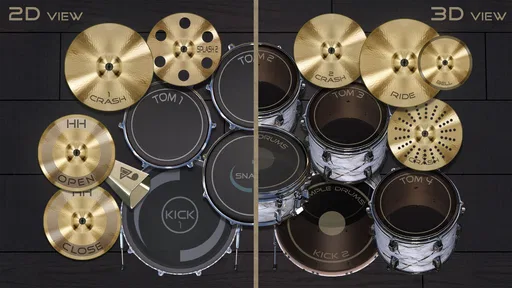
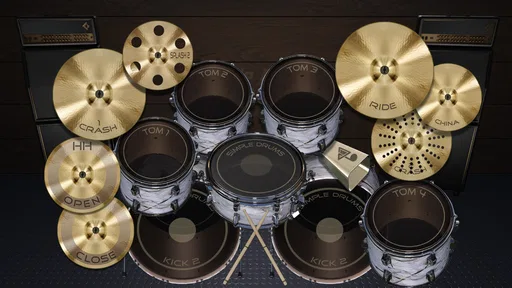
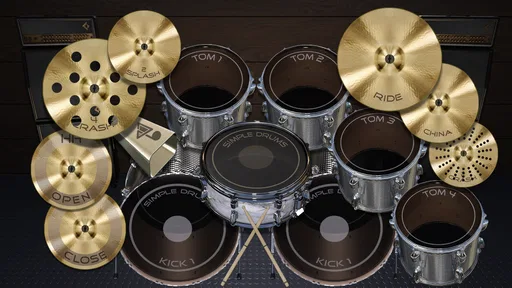
Drums Maker: Drum simulator is a virtual drumming app designed to let you play a digital drum kit on your Android or iOS device. It typically provides touch controls for cymbals, toms, snare, bass drum, and hi-hat, allowing users to practice rhythms, experiment with beats, or simply enjoy casual drumming without owning a physical kit. Its appeal is mainly its accessible, pick-up-and-play design.
Does Drums Maker: Drum simulator work well for beginners?
Yes, the app is generally suitable for beginners because its controls are straightforward and the instruments can be played by tapping directly on the screen. New users can start with simple rhythms and gradually improve their timing and coordination. However, the experience depends on the device’s screen size and touch responsiveness, so it may feel less comfortable on smaller phones than on larger smartphones or tablets.
Can I use Drums Maker: Drum simulator without an internet connection?
Many of the core drumming functions can usually be used offline once the application has been installed, which makes it convenient for quick practice sessions while traveling or when mobile data is unavailable. Nevertheless, certain features may depend on an internet connection, including advertisements, updates, online content, or optional services. It is best to launch the app once while connected before relying on it offline.
Is Drums Maker: Drum simulator free to download and use?
The application may be available as a free download, but users should check the store listing carefully because free versions can include advertising, optional purchases, or limitations on certain sounds and features. The main virtual drum experience may be accessible without payment, although the exact pricing model can vary by platform, region, and app version. Review the permissions and purchase information before installing.
Is Drums Maker: Drum simulator suitable for serious music practice or recording?
Drums Maker: Drum simulator can be useful for casual practice, rhythm exercises, and experimenting with basic patterns, but it should not necessarily be treated as a replacement for a real electronic drum kit or professional music software. Touchscreen latency, limited sound customization, and the absence of advanced recording or mixing tools may restrict serious use. It is best viewed as a portable practice and entertainment tool.
Play our best games!


